
Google Improves Android in Mobile and Auto, Still Needs to Explain the Googlebook Value Proposition
Summary
Google pulled out most of its consumer-focused Android announcements into The Android Show ahead of this week’s Google I/O. Google has impactful ideas integrating AI in mobile, auto, and laptops, but that last one needs a lot more explanation.
Android Is getting better, but is Not an intelligence system (yet)
Google is attempting to rename Android an "intelligence system" instead of an “operating system.” Good luck with that. Agentic AI as a user interface is still far more aspirational than real today. That’s not to say that Google isn’t ahead of Apple or making progress: it is both, but the Gemini integration is just not meaningful enough on its own yet to get someone to switch.
We’ll see what Apple introduces at WWDC with its own small models based on Gemini, but it’s safe to say that Google has had a healthy head start. For Android 17 Google is introducing Task Automation, which is the first step for Gemini to accept multi-modal inputs and control apps on your phone to achieve a goal. Web auto-browsing is coming this summer; that’s where Gemini can navigate web sites on your behalf. However, Task Automation will initially only work on a select few apps, and, as before, it will be most useful for people who are deeply embedded in Google’s app ecosystem. If you use Microsoft, Amazon, Apple, OpenAI, Meta, or any number of other company’s apps that aren’t supported, the demos that seem magical during keynote presentations aren’t actually possible.
If you do keep personal information in Google apps – even just taking pictures of things in Photos – then Android 17’s more intelligent auto-fill for forms might be useful. The example given was pulling your passport number from a photo, which is a real use case, but extremely niche. Another AI feature that will be broadly useful once it expands beyond Google’s own apps: Gemini can build you a widget for your phone, tablet, or even watch. There is so much useful information stuck in individual apps that I’d love glanceable access to – like blood sugar readings from sensors that have Android apps but no Android Wear extensions.
However, one of the new Android 17 AI features should be broadly applicable right away – and is clearly well ahead of where Apple is today. Improved voice dictation is getting a terrible name, Rambler, but the capability should be wildly better than before. You can speak at a normal pace, make corrections, stutter or pause, and Gemini will understand. You can ask for bullet point lists, emojis, and even switch languages back and forth in the same message. Crucially, Rambler should work across Android in any app that has a text input field. Significantly improved voice input should make it more comfortable to use voice to prompt Gemini in general.
For influencers, Instagram photos and videos on Android are catching up with iOS. Instagram is getting improved editing tools including on-device AI-enhanced photos and on-device sound separation and full access to the phone’s imaging engine. A one-touch screen reaction feature will ship first on Pixel this summer.
There are a bunch of non-AI quality of life features that are being introduced in Android 17 as well. If people use it, Google’s new Pause Point digital well-being feature could end up the most impactful update. This is yet another way to limit your access to apps that are distracting black holes. What’s different this time is that it is unusually flexible, enabling you to allow yourself time limits, offer alternatives, and a particularly clever way to ensure that you don’t just dismiss the Pause Point and resume doomscrolling: if you opt-in, you’ll be required to restart your phone to reset the system. That’s introducing just enough friction that you’re likely to set up Pause Points and then adhere to your own self-imposed limits.
Google and Apple have worked to make QuickShare more compatible with AirDrop; it is now working inside some apps like WhatsApp. Google is still trying to get iOS users to switch, and better switching tools that recreate home screen layouts and transfer credentials are coming soon (Samsung will be first).
Android 17 is getting “Bubbles” for app quick access. Samsung has had this in the sidebar; native Google now provides the same shortcuts and allows them to live in the task bar on large screen devices. Split screen multitasking is getting tweaked. Android gaming is improved with the ability remap controls at the system level. A great new accessibility feature is debuting: you’ll be able to direct different audio streams to hearing aids. Google has also quietly been steadily improving Android security and privacy. You’ll now have more control over location sharing and varying levels of "approximate" location based on where you are/what's around you.
Android 17 coming to Pixel and Samsung devices this summer.
Live lane guidance visual improvements
Android Auto is Getting good
Google’s Android Auto updates are significant and straightforward. The interface now adapts to any screen size and shape. Google showed off round displays in BMW’s mini, but a better example might have simply been the vertical screens in every Subaru. You’d think that would be easy for an OS that started out on a vertical phone screen, but it only fills half the screen today.
Android Auto will look like the latest Android phones using Material 3 Expressive design, will get custom widgets, and will support Gemini Intelligence if your connected phone supports it. That means you’ll be able to use Gemini with Magic Cue for dictation and agentic actions -- which is really useful when you're driving and need to find gas or preorder a coffee. For the 100 or so car models with Google Built-In, Gemini will know about your car. Google’s example here was to ask Gemini if the trunk can hold a specific TV, which is interesting, but I’m convinced that people will mainly use this as an AI user manual to find out how to do basic things that used to be a button but are now buried sixteen levels deep on the touchscreen.
When you’re parked, you’ll be able to watch video in HD on YouTube with other apps getting improved video on the roadmap. When you’re driving, the YouTube app will seamlessly switch to audio only so you can continue listening to podcasts (which all seem to be video these days).
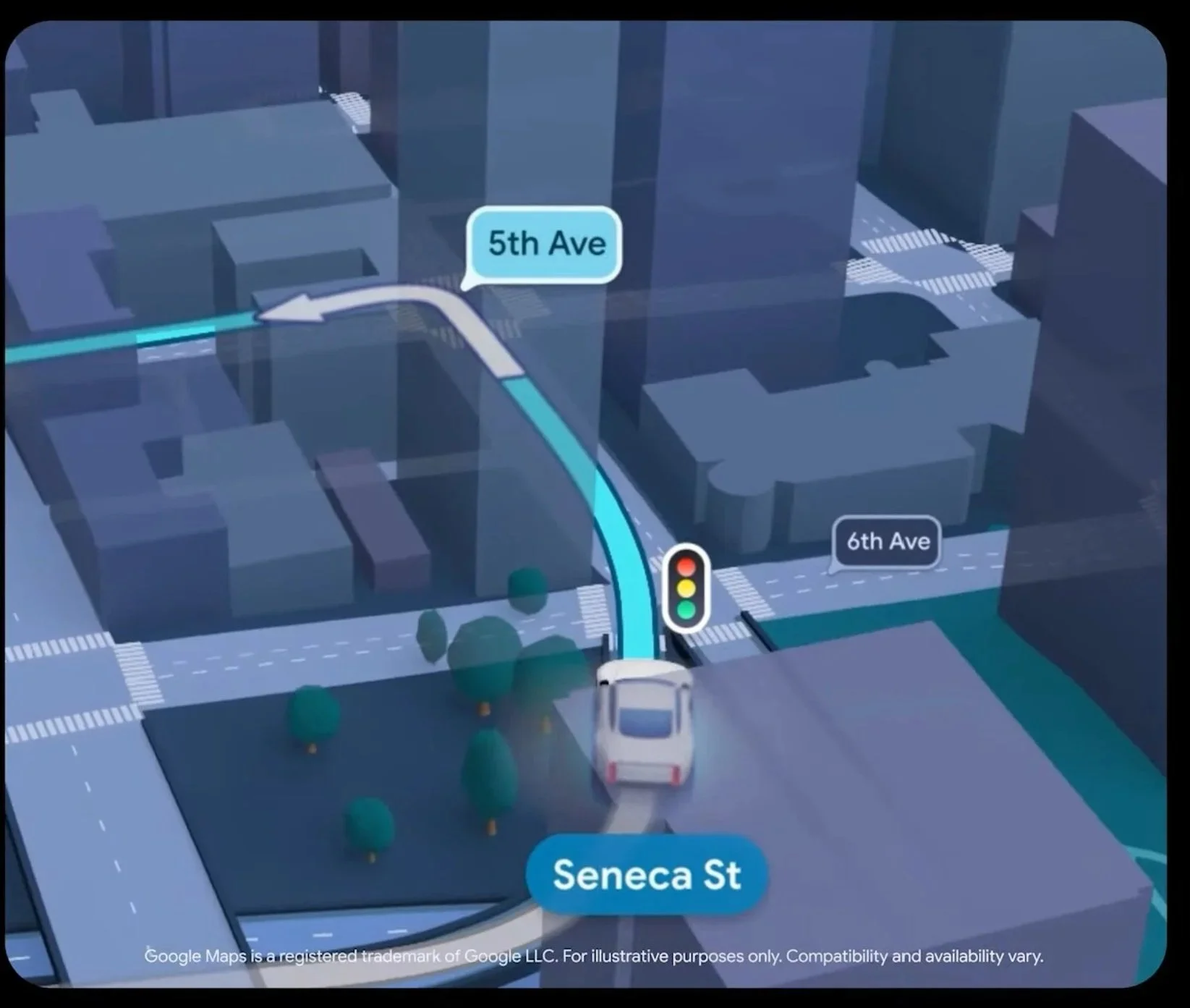
Finally, Google Maps is getting a visual overhaul that makes navigation better, including live lane guidance.
Googlebooks: What We Know
The most anticipated announcement was for Google’s next laptop platform, which merges ChromeOS and Android. Google provided a small preview, but core questions remain unanswered. The platform is being called Googlebook, which has the advantage of being easy to say and protect legally (don’t underestimate the importance of clearing a trademark). The concept is somewhat simple: a version of Android for laptops that has been rethought with agentic AI at its core.
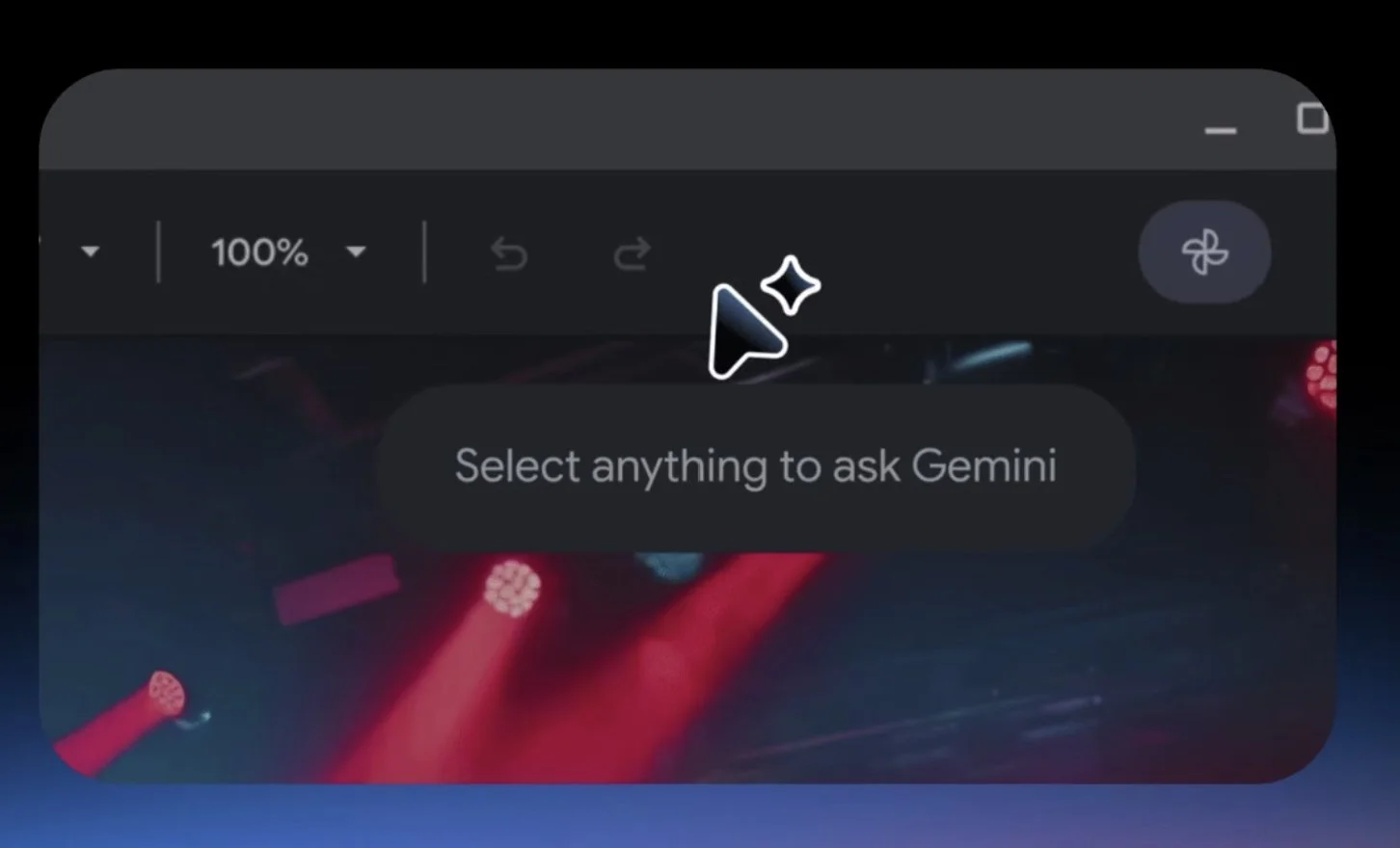
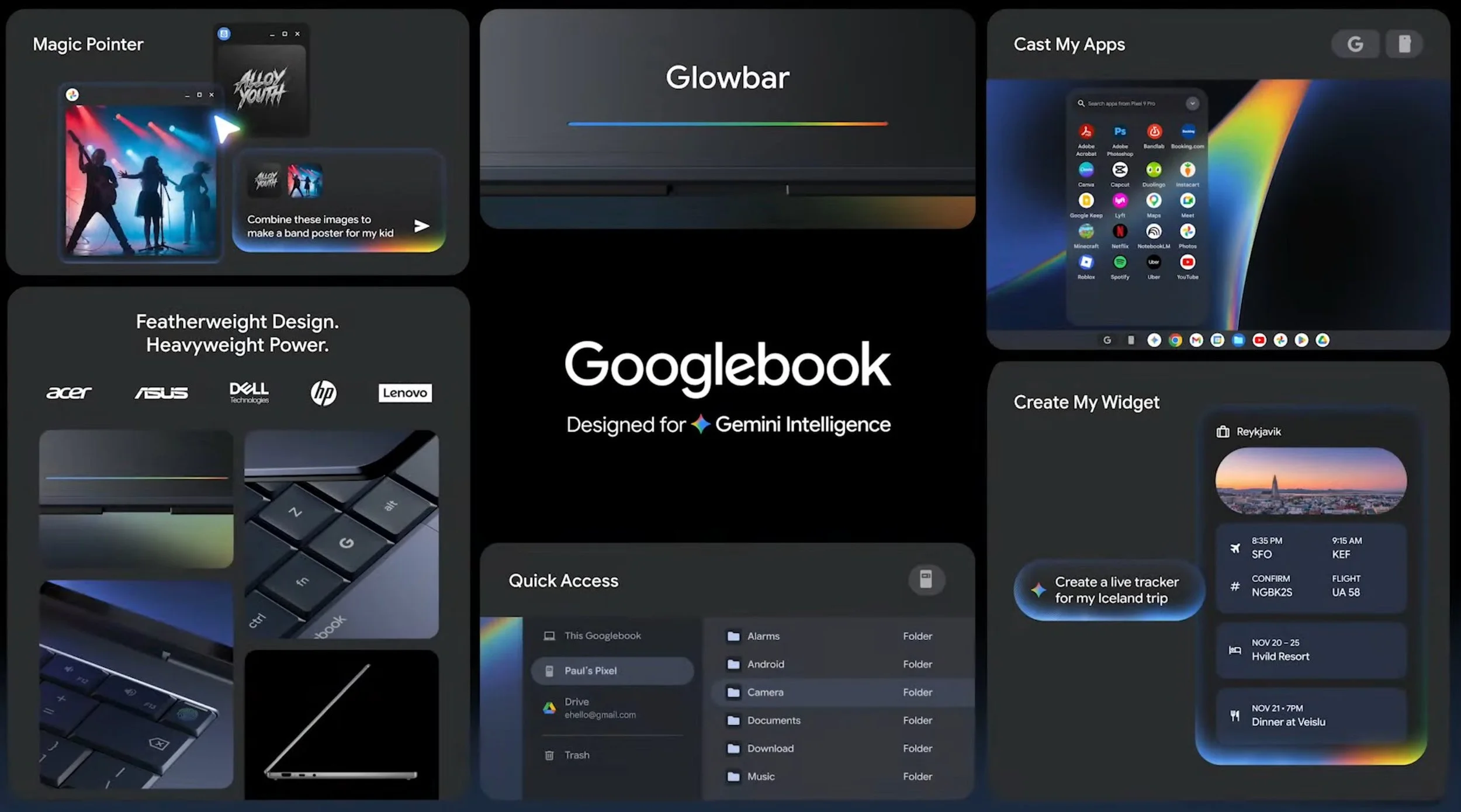
Like Chromebooks, Googlebooks will have one-click or voice access to Gemini. The big new idea – and it’s a really good one – is Magic Pointer. Wiggling the cursor on a Googlebook invokes Gemini for whatever the cursor is on. A context-sensitive menu will pop up to show you potential manipulations, combinations, or information about the object or subject the cursor is over. AI for the Magic Pointer itself runs on device; once you ask it to do something it hands the task off to the cloud. This is not just a clever rethinking of a core user interface element that has been in computers since the original Mac launched in 1984, it should also help with discoverability. Prompt-driven AI interfaces can be hard to use because users don’t know what they should be asking; Magic Pointer essentially provides hints. As on other Android form factors, you’ll be able to build your own widgets on Googlebooks, too.
Google has also deeply integrated other Android devices into the Googlebook software. You can access Android apps -- and files -- from your phone without setting up or credentialing the app on the laptop, making hybrid workflows simpler.
Googlebooks: What We Sort of Know
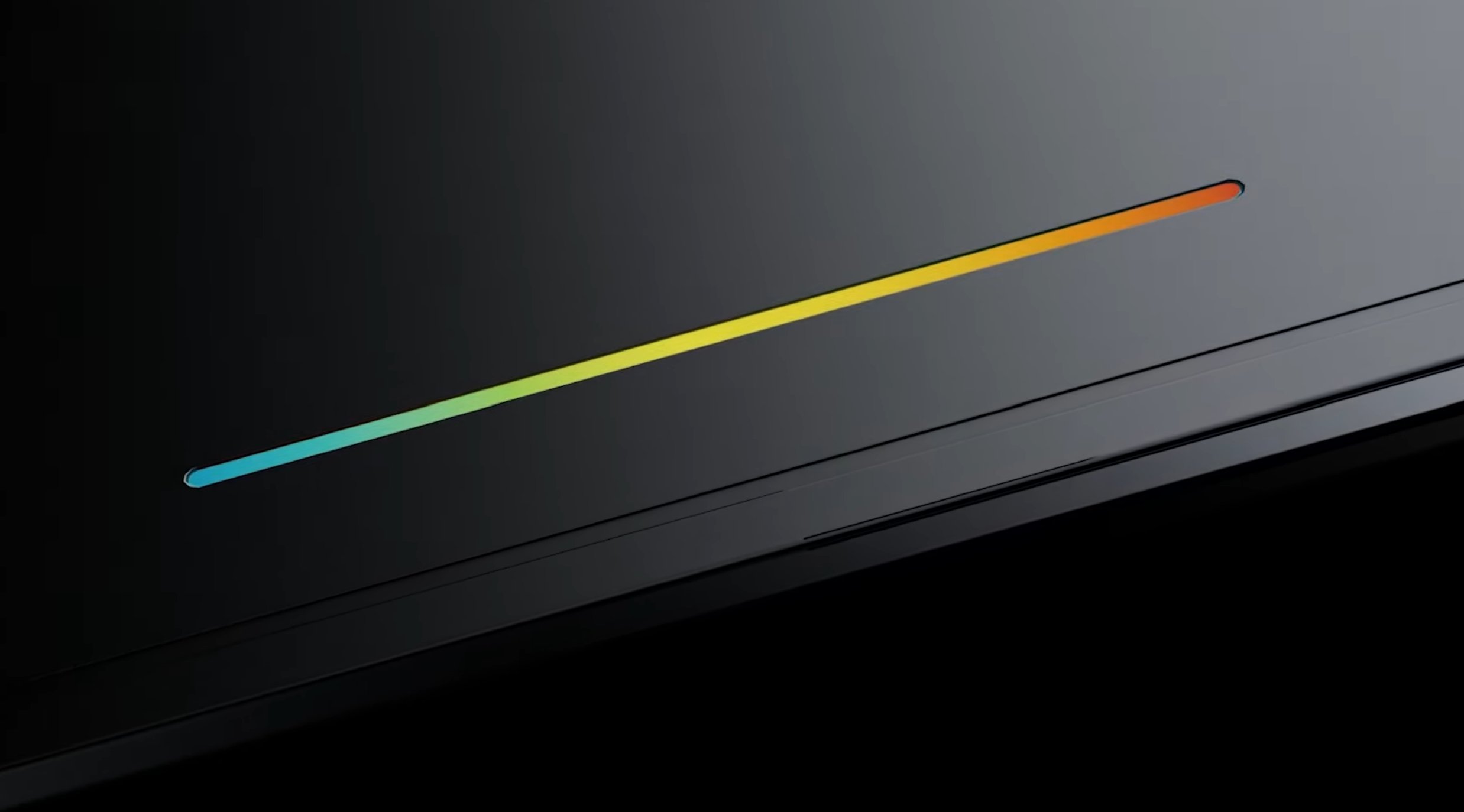
Laptop hardware specifics will be announced later in the year; OEMs signed on to make Googlebooks include Acer, ASUS, Dell, HP, Lenovo. There is no word on a Pixel Googlebook. Silicon will be provided by three partners: Intel, MediaTek, and Qualcomm. Two of those were already making chips for Google’s Chromebooks – MediaTek leading with its Kompanio line, and Intel with older Core i3 and i5. Qualcomm is new, though it has not announced whether it will be adapting its existing Snapdragon X for Windows or creating something new. All Googlebooks get a signature glowbar element on the outside of the case, which is a design callback to Google’s ChromeOS Pixelbook. It’s unclear if the glowbar is more than just decorative RGB (as Nothing has shown on its smartphones, lightbars can be charge indicators, app notifications, or fully programmable). Even if it is merely window dressing, it’s a nice and distinctive touch.
Googlebooks: What We Don’t Know
Hardware will be announced later this year, but it isn’t clear what they will look like, other than the clamshell form factor and glowbar. Will there be desktops? Do Googlebooks require a specific NPU for on-device AI processing? What about integrated cellular connectivity? Is there a minimum CPU or battery life spec? Chromebooks aren’t going away for years – Google has committed to that – but will there be extremely inexpensive Googlebooks being offered to replace Chromebooks in education?
While the category is being called Googlebook, is the operating system it runs “Android,” or something else? ChromeOS has found a home in education thanks to low resource requirements (cheap hardware), zero config setup (which makes it easy for overburdened school IT managers to manage, and cloud-centric storage (which makes laptops transferable from student to student). Will Googlebooks be as manageable as Chromebooks? Will they be account-based like ChromeOS and push the workload to SAAS or user-based like Android, MacOS, and Windows and rely on extensive (and expensive!) SSDs and hard drives that support rich local apps and data stores?
Premium laptops for Windows have rich gaming, coding tools, and fully built-out workflows for creators, engineers, and AI researchers. The same, minus gaming, is true for Mac. Beyond the ability to run the Chrome browser and Android apps – capabilities that ChromeOS already had – it isn’t clear what the Googlebook is supposed to be used for. There are productivity and creator apps for Android tablets with keyboards; they are underfeatured and underwhelming. There are plenty of Android games, but they lean heavily towards casual and touch-based action games for obvious reasons.
The idea of an OS that configures its capabilities and interface on the fly via AI is an intriguing one. It is something that legacy OS makers Microsoft and Apple will have trouble competing against because of their existing customer base. However, that vision is also somewhat radical and not supported by today’s LLMs, security processes, or workflows. Googlebooks really do appear to be an extension of Android with a magical cursor. It may be the very beginnings of an entirely new computing architecture, but the look that Google has provided so far doesn’t suggest that it is ready to disrupt app-based platforms today.
For Techsponential clients, a report is a springboard to personalized discussions and strategic advice. To discuss the implications of this report on your business, product, or investment strategies, contact Techsponential at avi@techsponential.com.